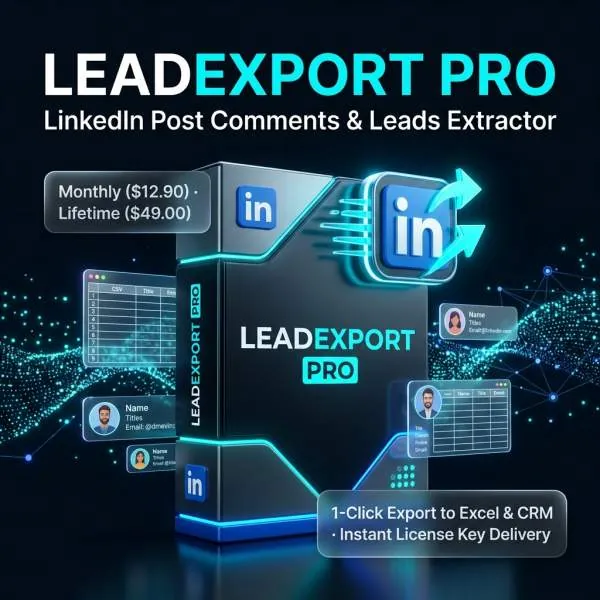
LeadExport Pro for LinkedIn – Post Comments & Reactions Leads Extractor (Chrome Extension)
Turn Any Viral LinkedIn Post into a Goldmine of Warm B2B Leads in Seconds!
Cold outreach reply rates have plummeted below 2%. But prospects who actively react and comment on relevant LinkedIn discussions are waving their hands—they are engaged, problem-aware, and active on the platform right now. With LeadExport Pro, you can instantly extract verified profiles, likers, and discussions into clean, Excel-ready CSV files with a single click.
🔥 Why Post Commenters & Likers Are Your Best Prospects
Unlike stale, scraped database lists that result in high bounce rates and spam reports:
They logged in and interacted recently. Zero bounced contacts and active inbox delivery.
By reacting or discussing, they publicly validated their pain point, industry topic, or need.
Referencing their actual comment creates an instant warm hook that converts strangers into meetings.
🌟 Key Features & Superpowers
⚡ 1-Click Likers (Reactions) Extraction
Extract everyone who reacted to a post across all 6 reaction types: Like (👍), Celebrate (👏), Support (🤝), Love (❤️), Insightful (💡), and Funny (😂). Automatically captures Full Name, Direct LinkedIn Profile Link, Headline (Job Title & Company), and exact Reaction Type.
🔄 Dual-Mode Comment Extraction (Industry Exclusive)
LinkedIn’s default algorithm hides up to 70% of comments in the “Most Relevant” view. LeadExport Pro solves this with intelligent Dual-Mode:
- “Most Relevant” View: Scrapes highlighted and top-voted discussions.
- “Most Recent” View: Scrapes real-time latest replies.
- Dual-Mode: Automatically captures both streams, deduplicates redundant records, and merges them into one complete master list!
📊 Export Rich, Clean CSV Files with UTF-8 BOM
No more garbled characters or broken accents in international names! Exports files with Excel-native UTF-8 BOM encoding. Double-click to open seamlessly in Microsoft Excel, Apple Numbers, Google Sheets, Notion, or import directly into your CRM & outreach tools (HubSpot, Salesforce, Pipedrive, Lemlist, Instantly, Apollo).
🛡️ Anti-Detection & 100% Account Safety
Operates entirely client-side inside your own local browser session. NEVER asks for your LinkedIn password or scrapes your private session cookies. Hardcoded safety guards: NEVER interacts with forbidden buttons (will never accidentally click Like, Comment, Repost, or Connect). Natural human-paced scroll simulation and intelligent backoff delay prevent platform rate-limiting.
📋 Detailed Exported Data Fields
💡 How to Use (Step-by-Step & Target URL Requirement)
- Navigate to the target LinkedIn post:
Ensure your browser address bar URL starts with:
https://www.linkedin.com/posts/...
💡 Tip: Click the three-dot menu (…) on any post on your feed → Click “Copy link to post” → Open in a new browser tab. - Open Extension: Click the LeadExport Pro icon in your Chrome toolbar.
- Customize Options: Toggle “Extract Likers” on/off and select your preferred Comments View (Dual View recommended).
- Extract Leads: Click “⚡ Extract Current Post Leads” and watch real-time extraction progress.
- Download CSV: Click “📥 Download Likers CSV” or “📥 Download Comments CSV” to save your clean leads list!
🎯 Who Is LeadExport Pro For?
Find qualified early adopters and buyers actively discussing problems in your niche.
Build warm outreach lists targeting competitor posts, influencer discussions, or event announcements.
Scrape viral event posts and webinar announcements to extract qualified attendees and prospects.
Source passive talent engaging with specific thought-leadership and engineering discussions.
⚡ Instant License Key Delivery • 100% Automated
All orders are fulfilled automatically 24/7. Your license key (e.g. LEAD-M-... or LEAD-L-...) is issued immediately upon checkout and displayed on your order confirmation page.
Monthly Subscription
Lifetime Access & Free Updates
❓ Frequently Asked Questions (FAQ)
Q
Do I need a LinkedIn Sales Navigator subscription?
No! LeadExport Pro works seamlessly with standard free LinkedIn accounts, LinkedIn Premium, and Sales Navigator accounts alike.
Q
Can I open the CSV files directly in Microsoft Excel?
Yes! All exported CSV files include native UTF-8 BOM encoding. Accents, non-English names, and emojis display crisply in Microsoft Excel, Google Sheets, and Apple Numbers without garbled characters.
Q
Is my LinkedIn account safe?
Absolutely. LeadExport Pro performs zero automated engagement (no auto-liking, no auto-commenting, no connection spam). It simply reads publicly visible DOM text and scrolls naturally, mimicking human reading behavior.
Q
How do I activate my license?
After completing your purchase, copy your license key from your HappyNoLimits order page, click “Enter Key” inside the extension popup, paste the key, and click “Activate”. Your Pro status activates instantly!
Q
Can I test before purchasing?
Yes! Every installation includes 3 free full post exports out of the box with zero credit card required.
Official Product • Instant Automatic Delivery • 24/7 Dedicated Support
Powered by HappyNoLimits • www.happynolimits.com
Helpful Guides & Activation Tutorials
All Guides
From Script to Screen: Building an Automated AI Video Production Pipeline with Muse AI 1B & 31B Token Accounts
Read full walkthrough →